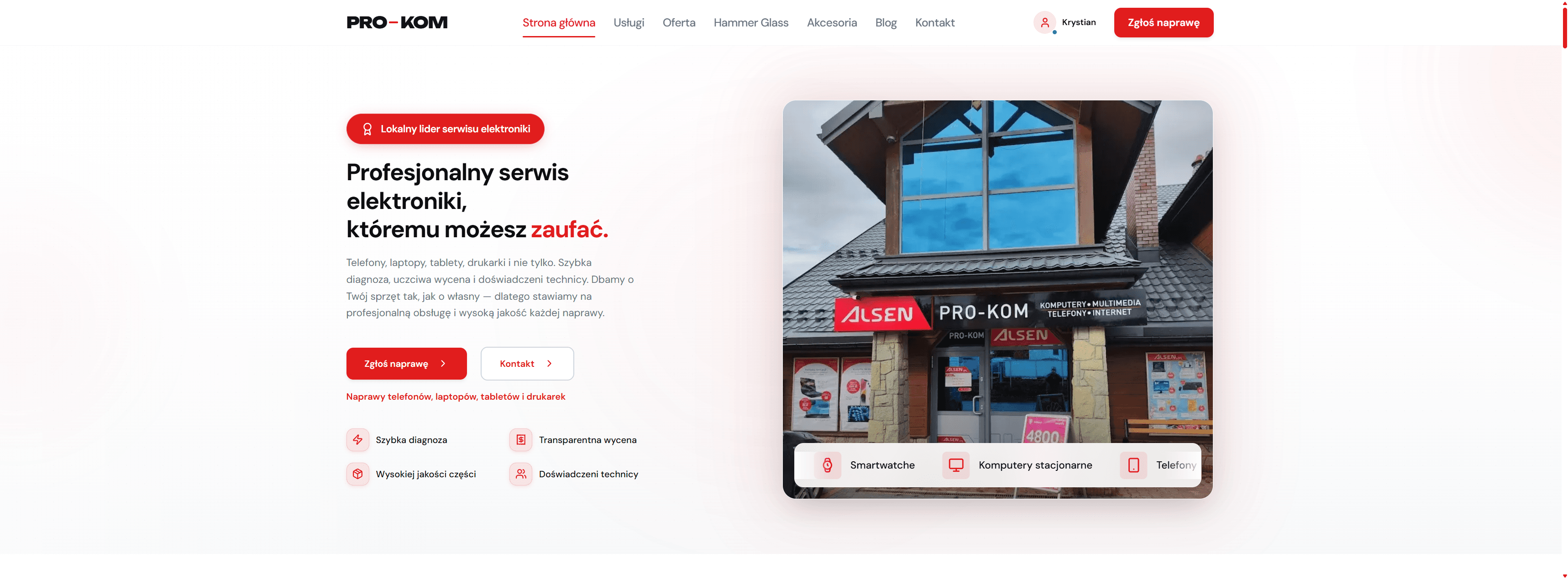
Service landing page
The public starting view presents the service offer, main repair request CTA and consistent PRO-KOM branding.
A system for managing electronics repair workflows — from device intake, through diagnosis and status updates, to customer pickup. Inspired by 2.5 years of experience in a real service environment.
3
user panels
RBAC
permission system
8+
Celery async tasks
HTTPS
Let's Encrypt
ORIGIN
I built this project from the perspective of someone who worked in an electronics service environment for 2.5 years. That helped me understand where information gets lost in the daily repair process, what slows down service work and what customers, staff and business owners actually need.
Customers had to call the service to ask what was happening with their device. The system solves this with a status panel, notifications and a clear repair history.
The process relied on notes, spreadsheets and manually tracking priorities. The staff panel organizes repairs in a Kanban view with statuses, assignments and items that require action.
The business owner needs quick access to repair times, technician workload, common issues, revenue and inventory status. The admin panel brings these data points into one place.
SCOPE
Individual project. Idea, architecture and implementation — built fully by me.
I translated a real repair workflow into a Django data model: repair tickets, devices, customers, statuses, quotes, parts, change history and repair lifecycle.
I designed separate flows for customers, staff and administrators: self-service for customers, Kanban for staff and a management dashboard for admins.
I used Celery and Redis to handle notifications, automatic reminders, backups and tasks executed outside the main request-response cycle.
I implemented roles and permissions, JWT auth, change history, audit log and mechanisms supporting controlled access to data.
DESIGN
The architecture was designed around three user panels: customer, staff and administrator. The Next.js frontend communicates with the Django/DRF backend, while background tasks are handled by Celery with Redis.
Three user types with separate needs, permissions and workflows.
System interface, panel views, application state and API communication.
REST API, domain logic, authentication and request handling.
Modules responsible for the main areas of the repair process.
Database, cache, task queue and background operations.
Access control, change history, reverse proxy and secure deployment.
Customers, staff and administrators see the same repair process from different perspectives and have different needs.
Repairs, customers, inventory, analytics and auth are separated into modules with clear responsibilities.
Notifications, reminders, backups and reports do not block the main request-response cycle.
The system requires access control, change history and the ability to reconstruct the full repair workflow.
FEATURES
Drag-and-drop repair status changes. Columns: Accepted → In progress → Ready → Picked up. View of priorities, assignments and tickets requiring action.
Celery Beat triggers tasks related to status changes, reminders and customer communication. Customers can track repair progress without calling the service.
Roles: customer, staff member and administrator. The system records status changes, ticket edits and user actions, making control and audit easier.
Spare parts catalog, reserving parts for repairs, stock levels, supplier orders and low-stock notifications.
The admin dashboard shows repair times, staff workload, revenue, most common issues and data needed for operational decisions.
HTTPS with Let’s Encrypt, CSRF/XSS protection, rate limiting, data validation, role-based authorization and Django password hashing.
DEMO
Key staff and admin panel views showing the real repair workflow: ticket handling, Kanban, repair details, change history, dashboard and service process management.
For confidentiality reasons, I do not provide public login access to the staff and administrator panels. Instead, I prepared anonymized system views that show the most important workflow elements: ticket handling, staff Kanban, repair details, change history, admin dashboard and service process management.
During a technical interview, I can walk through the system architecture, code and selected panel views via presentation or screen share.
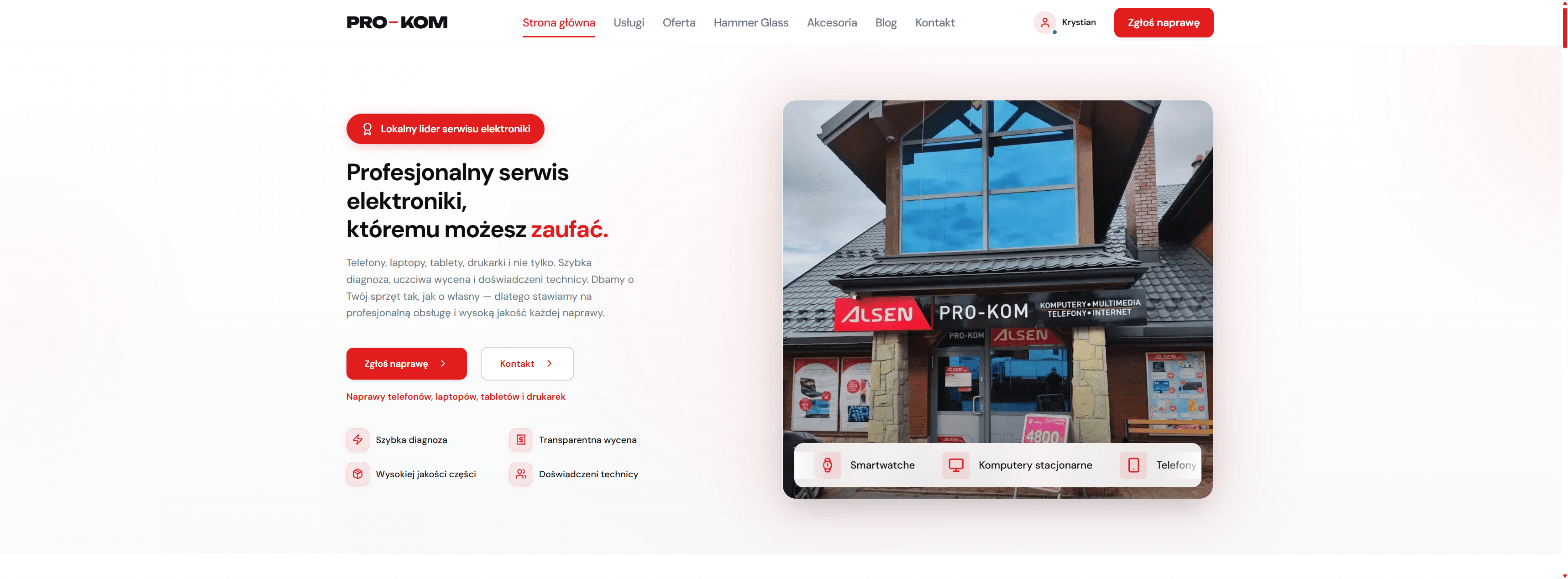
The public starting view presents the service offer, main repair request CTA and consistent PRO-KOM branding.
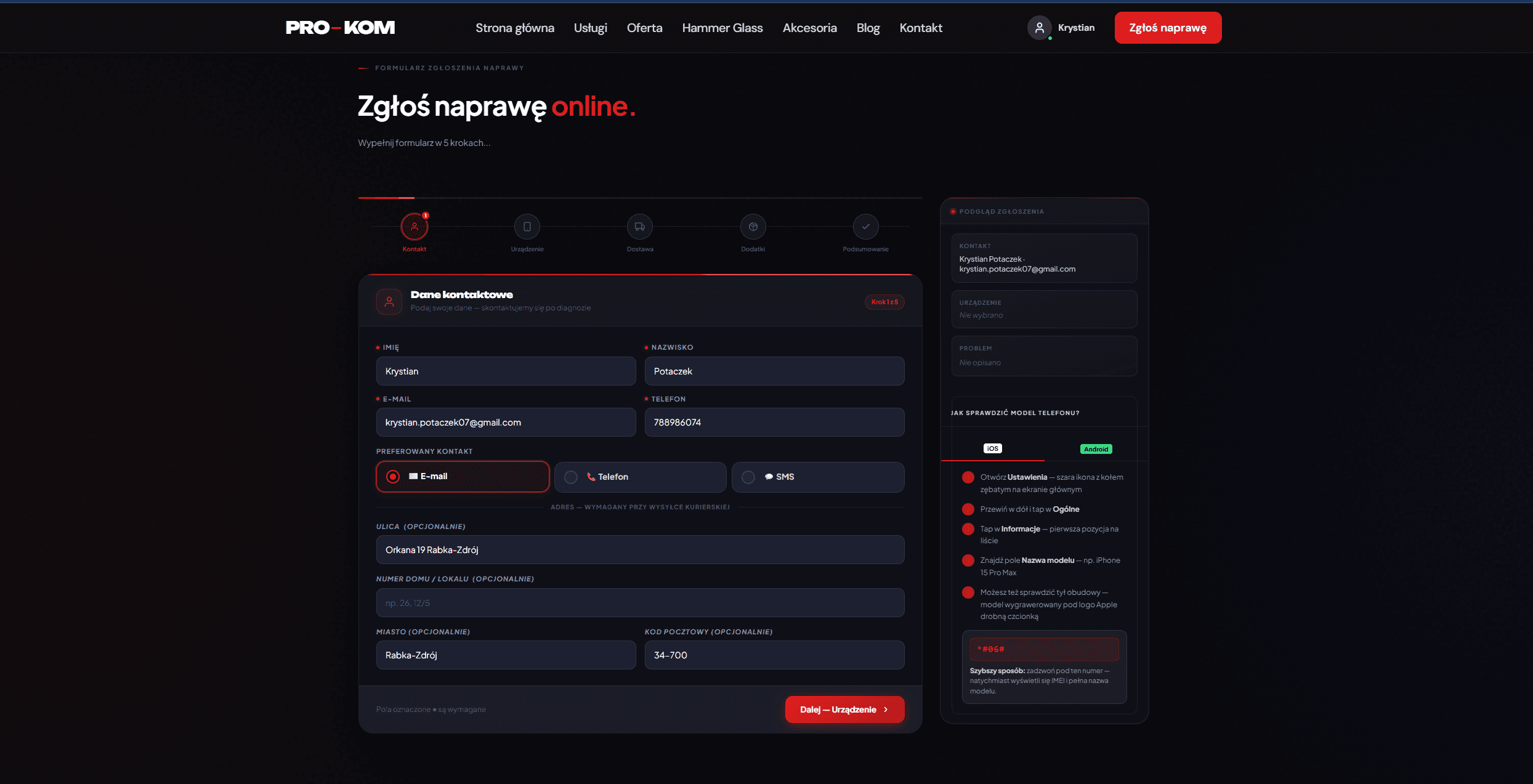
A five-step form collects contact details, device information, delivery method and repair request summary.
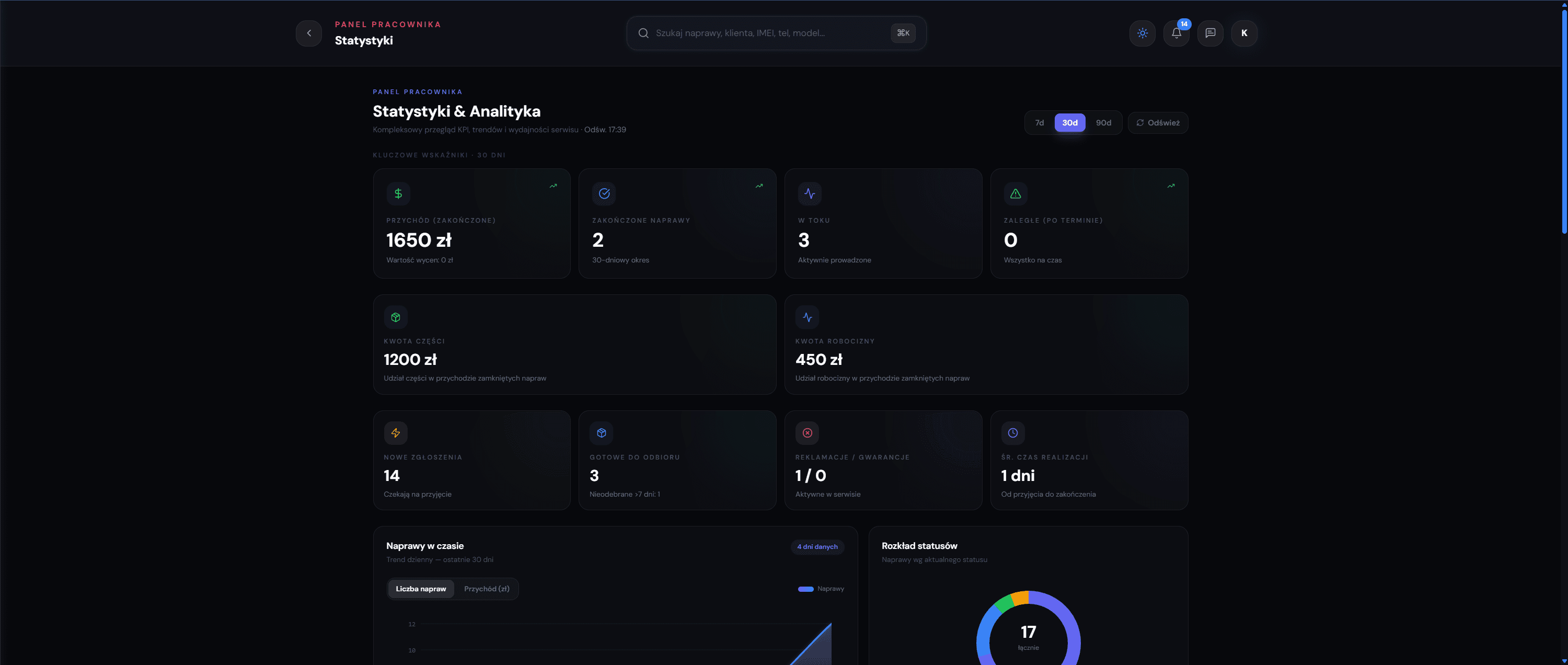
The KPI view presents revenue, completed repairs, work in progress, overdue tickets and status distribution.
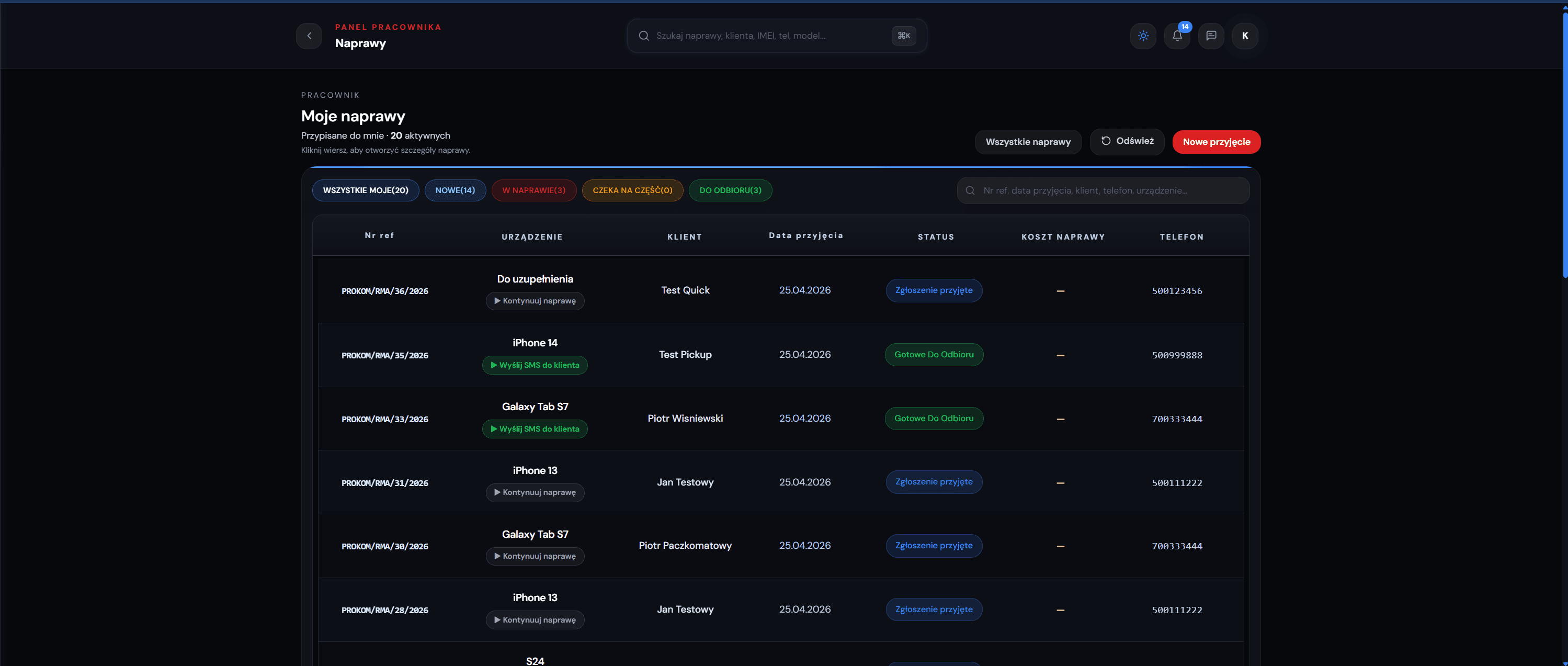
The repair table allows quick filtering of assigned tickets, statuses, customers, devices and actions requiring attention.
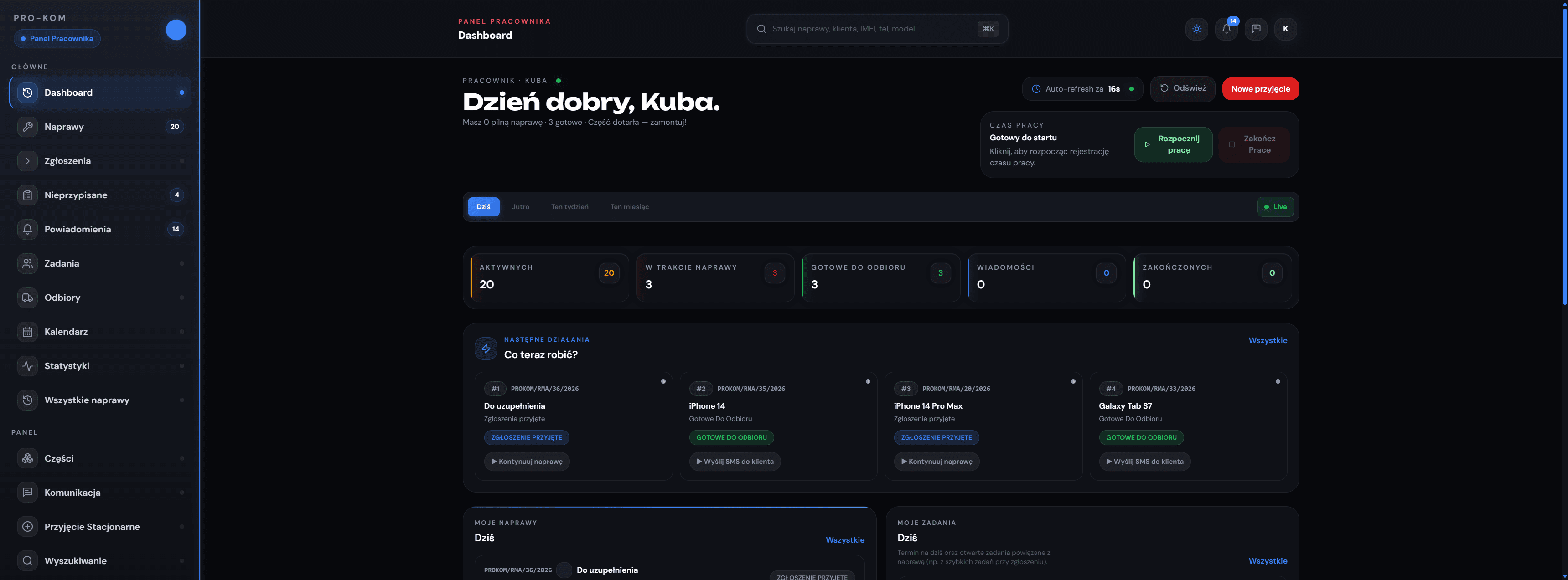
The operational panel combines active repair counters, next actions, work time and quick access to ticket handling.
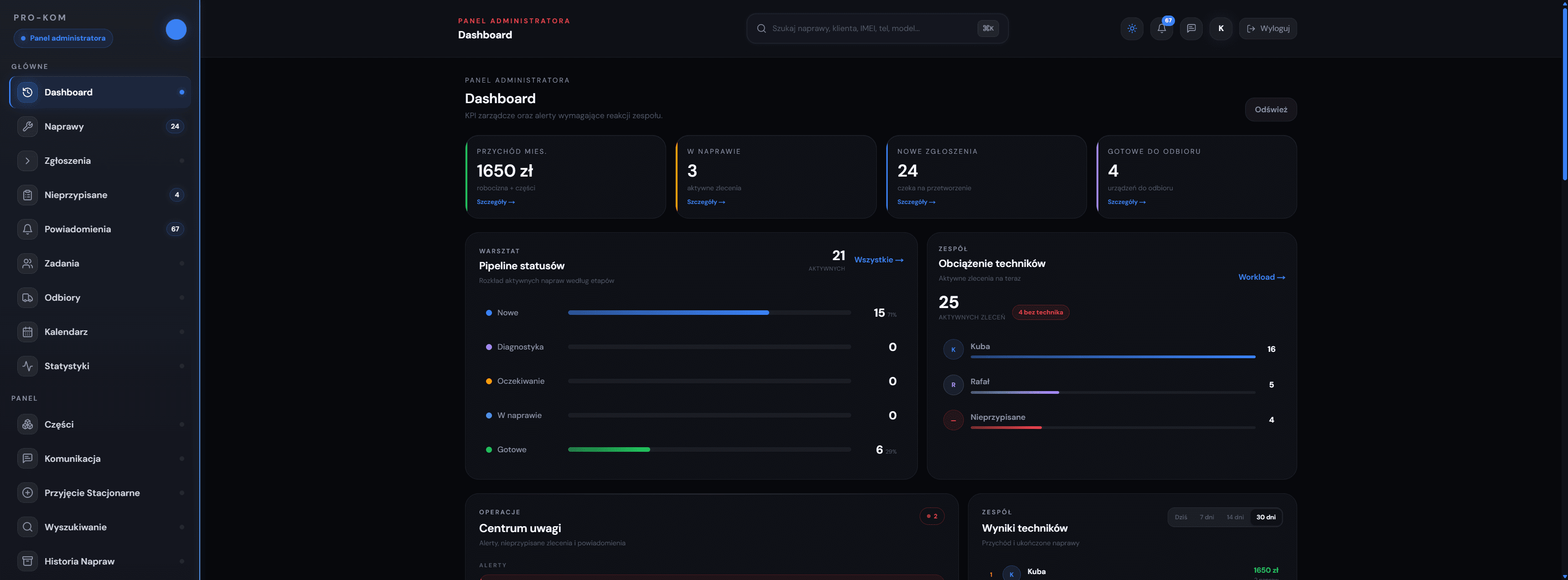
The management view shows status pipeline, technician workload, monthly revenue and process alerts.
I prepared a full gallery of over 30 staff and admin panel views — from repair intake to dashboards, change history and service management.
View full gallery →CHALLENGES
Areas where the project required the most architectural decisions.
A repair ticket goes through many states, and each status can trigger different actions: notifications, reminders, customer visibility changes or staff queue updates.
Enum-based status field, explicit transition rules and Celery tasks triggered on status changes.
Customers, staff members and administrators have different needs, permissions and views of the same resource. The same repair object must be represented differently depending on the user role.
Custom DRF permission classes, separate serializers and controlled data representation for each role.
This was my first large project with the full Django + Next.js + Docker stack, so many architectural decisions had to be made independently.
Modular architecture, moving logic into services/selectors/serializers and regular code review with AI as support.
LEARNINGS
How to translate real business processes into a data model and status lifecycle
Modular Django architecture — each app has a clear responsibility
Clean Architecture in practice: selectors, services and serializers
Docker + Nginx + Certbot — full web application deployment process
Managing complex RBAC permissions in DRF
Building from the user’s perspective — service experience gave me real context
DEMO
repair request as a customer
repair status panel
staff Kanban board
status and assignment changes
administrator panel
change history and audit log
API documentation in the repo / code
I would be happy to talk more about the architecture, service process and technical decisions I made while building it.